Wild Tornado Mobile Casino App and Web Access
 Available in AU
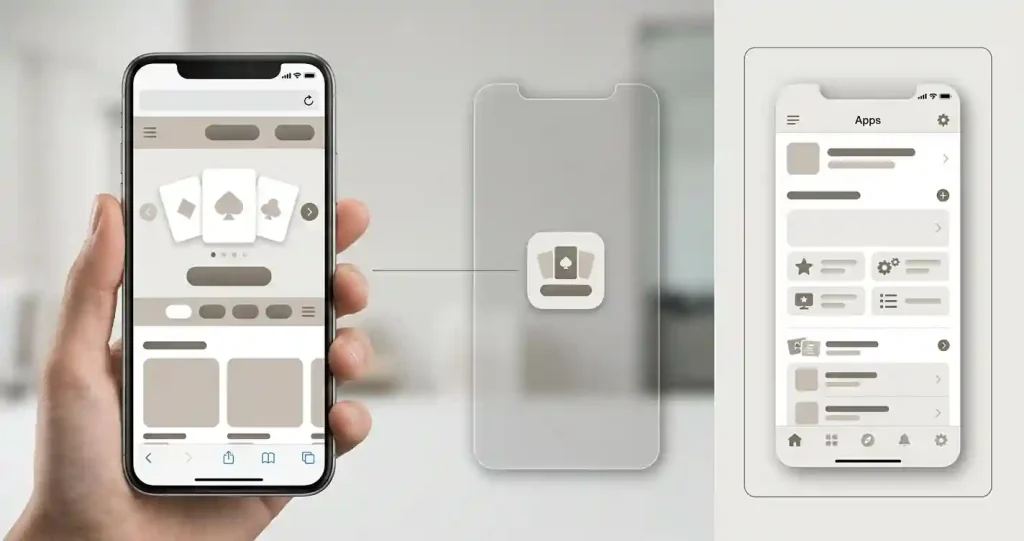
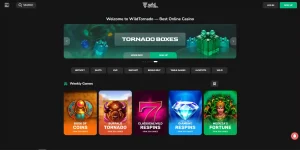
Wild Tornado works through a mobile browser, and independent reviews consistently describe its phone experience as browser-first rather than a conventional native iPhone or Android app. Sources also describe an installable web-app or home-screen version, essentially a shortcut to the mobile site rather than software downloaded from the Apple App Store or Google Play.
That distinction matters. Searching for a “Wild Tornado app” can produce language that sounds like a native application even when the practical product is a browser-based web app. For Australian readers, the useful question is therefore not simply whether an app exists, but whether the browser version handles the tasks that matter: account access, game browsing, live casino, cashier navigation and later verification.
Table of Contents
- Wild Tornado Mobile App Compatibility for iOS and Android in Australia
- Native app, PWA and browser shortcut are not the same thing
- How to use the mobile version without confusing it with an app download
- Mobile task checklist: what matters beyond screen size
- Games on phones: access is verified, catalogue parity is not assumed
- Browser performance should be judged on the device actually used
- Cashier use on mobile deserves a separate check
- Security habits are especially important with home-screen shortcuts
- When the browser-first model is a good fit
- Mobile FAQ
Wild Tornado Mobile App Compatibility for iOS and Android in Australia
| Mobile question | Current position | What that means |
|---|---|---|
| Mobile browser | Supported | The casino can be used through a phone or tablet browser. |
| Native iOS or Android app | No dedicated native app identified in current independent reviews | Do not assume an App Store or Google Play download exists. |
| Web app / home-screen install | Described by current reviews | This provides quick access to the mobile site rather than a separate native client. |
| Live casino | Available as part of the verified game offer | Mobile access can include live-dealer content, subject to device and game availability. |
The broader Games and Pokies Library guide covers the library itself. Here the emphasis is usability: how the same casino functions when the screen, connection and input method are different from desktop.
Native app, PWA and browser shortcut are not the same thing
A native app is software distributed through an app store or installed as a platform-specific package. It can have its own update cycle, permissions and operating-system integration. A progressive web app, often shortened to PWA, is different. It is built from the website and can be added to a home screen so that it opens more like an app.
Wild Tornado reviews use both “web app” and PWA language. They also agree that there is no dedicated native mobile app. This is the most useful interpretation of the available evidence: Wild Tornado offers mobile browser access, and some users can add that browser experience to the home screen for quicker entry.
That distinction prevents a common comparison error. A site can offer strong mobile usability without appearing in an app store, while an app-store listing can exist without guaranteeing better casino performance. For Wild Tornado, the browser experience matters more than whether a branded icon came from an official app marketplace.
How to use the mobile version without confusing it with an app download
The safest starting point is the verified Wild Tornado website in the phone’s normal browser. After loading the site, a compatible browser can provide an option to add the page to the device home screen. The exact menu wording depends on the browser and operating system, so there is no need to install an unrelated package or search third-party download repositories.
If a home-screen shortcut or PWA option is offered, it needs to resolve to the Wild Tornado web service. That is different from downloading an APK file or installing software from an unknown source. The page does not recommend sideloading, unofficial app stores or third-party installers.
This browser-first approach is also easier to audit. The address bar provides a direct way to confirm the domain before entering account credentials. A copied icon on a phone can hide that context, so users can verify the destination when opening a saved shortcut.
Mobile task checklist: what matters beyond screen size
A phone version is useful only if the core account tasks remain workable. Instead of judging the experience from the homepage alone, test the steps that are most likely to matter during real use.
- Login: confirm that the sign-in form, password manager and account navigation work cleanly on the device.
- Lobby: check that game categories, search or filtering tools and game launch controls are usable without repeated zooming.
- Cashier: open the payment area and confirm that the current account methods and AUD display are clear before making a transaction.
- Live casino: check portrait and landscape behaviour, video controls and the room layout before relying on a long session.
- Verification: make sure account messages and document-request screens can be read and completed without missing fields.
The dedicated Payments in AUD guide explains the cashier categories, while the Registration and Account Setup guide covers account setup. On mobile, those subjects become usability checks rather than separate product features.
Games on phones: access is verified, catalogue parity is not assumed
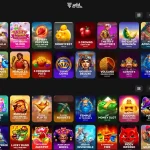
Wild Tornado is verified as mobile-browser capable and its broader game offer includes live casino. That supports a clear conclusion: mobile play is a normal access route, not an afterthought. It does not justify claiming that every title visible on desktop will always appear on every phone.
Game availability can depend on provider rules, device compatibility, browser capabilities and the market attached to the account. A title can also behave differently across portrait and landscape layouts. One-to-one catalogue parity between desktop, iPhone and Android is therefore not guaranteed.
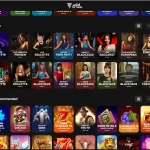
For slots and other standard casino titles, the practical check is whether the game launches cleanly and the controls remain readable. For live dealer tables, the priorities change: video stability, betting controls and table information must fit a smaller display. See the Live Casino and Dealer Games guide for the game-category context rather than treating mobile access as proof of identical tables across devices.
Browser performance should be judged on the device actually used
Current reviews report a functional mobile experience, but no fixed loading times, frame rates or network thresholds are stated. A casino site can perform differently on two phones because of browser version, device memory, signal quality, background apps and the game provider’s own client.
A better test is practical. Open the lobby, move between categories, launch one ordinary game, return to the cashier and then test any live content that matters. If navigation remains stable through those steps, the browser version is doing the work expected from a mobile casino.
If problems appear, basic browser maintenance is preferable to chasing unofficial software. Updating the browser, closing stale tabs, checking the connection and reloading the site are low-risk first steps. Avoid an unverified “Wild Tornado APK” from a third-party source.
Cashier use on mobile deserves a separate check
Wild Tornado supports AUD and a broad payment mix, but the mobile question is whether the cashier presents the current options clearly on a small screen. Payment availability can be account-specific, so the live cashier remains the best place to confirm what is actually offered to the logged-in user.
Before depositing, check the selected currency, payment method, amount and any terms displayed on the confirmation screen. Before withdrawing, verify the destination details and note whether the account requests KYC. Mobile convenience should not turn a payment decision into an automatic tap-through process.
The payments guide covers verified method categories in more detail. The key point is that the browser is the interface through which those choices are made, so readability and confirmation screens matter as much as game loading.
Security habits are especially important with home-screen shortcuts
A web-app shortcut can feel like a native app because it opens from an icon and may use a compact browser view. That convenience makes domain awareness more important, not less. Create shortcuts only after reaching the intended Wild Tornado domain directly, and avoid links supplied by unknown messages or download sites.
Use a unique account password and the device’s normal screen lock. Do not store casino credentials in notes or screen captures. If a mobile browser warns that a certificate or connection is unsafe, stop rather than entering account or payment details.
None of these steps prove a casino’s regulatory status. Mobile security and regulatory status are separate questions. The full Wild Tornado Australia review puts mobile access alongside payment, games, account and trust considerations instead of treating a smooth phone interface as a trust certificate.
When the browser-first model is a good fit
The browser model suits users who do not want another native application installed and who prefer one service that works across desktop, phone and tablet. It also reduces dependence on an app-store listing. A saved home-screen shortcut can make access feel app-like without changing the underlying web delivery.
The trade-off is that browser play inherits browser and connection conditions. Notifications, background behaviour and some operating-system integrations can differ from a native app. Users who specifically want an App Store or Google Play listing should note that the available Wild Tornado evidence does not show a dedicated native release.
For most comparisons, that means the useful scorecard is simple: can the mobile site handle login, games, live tables and cashier tasks cleanly on the intended device? If yes, the absence of a native app may be less important than the word “app” initially suggests.
Mobile FAQ
Does Wild Tornado have an iPhone or Android app?
Independent reviews agree that Wild Tornado does not have a dedicated native app. They describe mobile browser play and an installable web-app or home-screen option instead.
Can Wild Tornado be used in a mobile browser?
Yes. Mobile-browser support is an established Wild Tornado feature.
Is the Wild Tornado web app the same as an App Store app?
No. A web app or PWA is based on the website and can be added to a home screen. It is distinct from a separately distributed native iOS or Android application.
Are all desktop games guaranteed to be on mobile?
No. Identical catalogue availability across every device is not guaranteed. Provider, browser and market conditions can affect what is shown.
Whether you use a smartphone or tablet, you can easily stream high-quality live dealer games and table classics directly from your browser. Explore more mobile-friendly gaming options on our authoritative guide to Australian casinos.